A smart planner for personal planning and shared collaboration

Bring goals, schedules, tasks, and journalsinto one HaruSync planning flow.

HaruSync is a cross-platform planner that keeps personal planning and shared collaboration inside the same working context. Daily priorities, calendar context, records, reports, and alerts stay connected, while web and app access paths stay honest about what is available now.

01

Review daily, weekly, monthly, quarterly, and yearly goals alongside today and tomorrow briefings

02

Keep schedules, tasks, journals, and shared planners inside one product flow instead of jumping between tools

03

Explain reports, alerts, calendar connections, and app access without overstating what is live

HaruSync workspace

A planner structure where today’s execution feeds the next plan

Dashboard, planner, view-all, and reports stay inside the same product language.

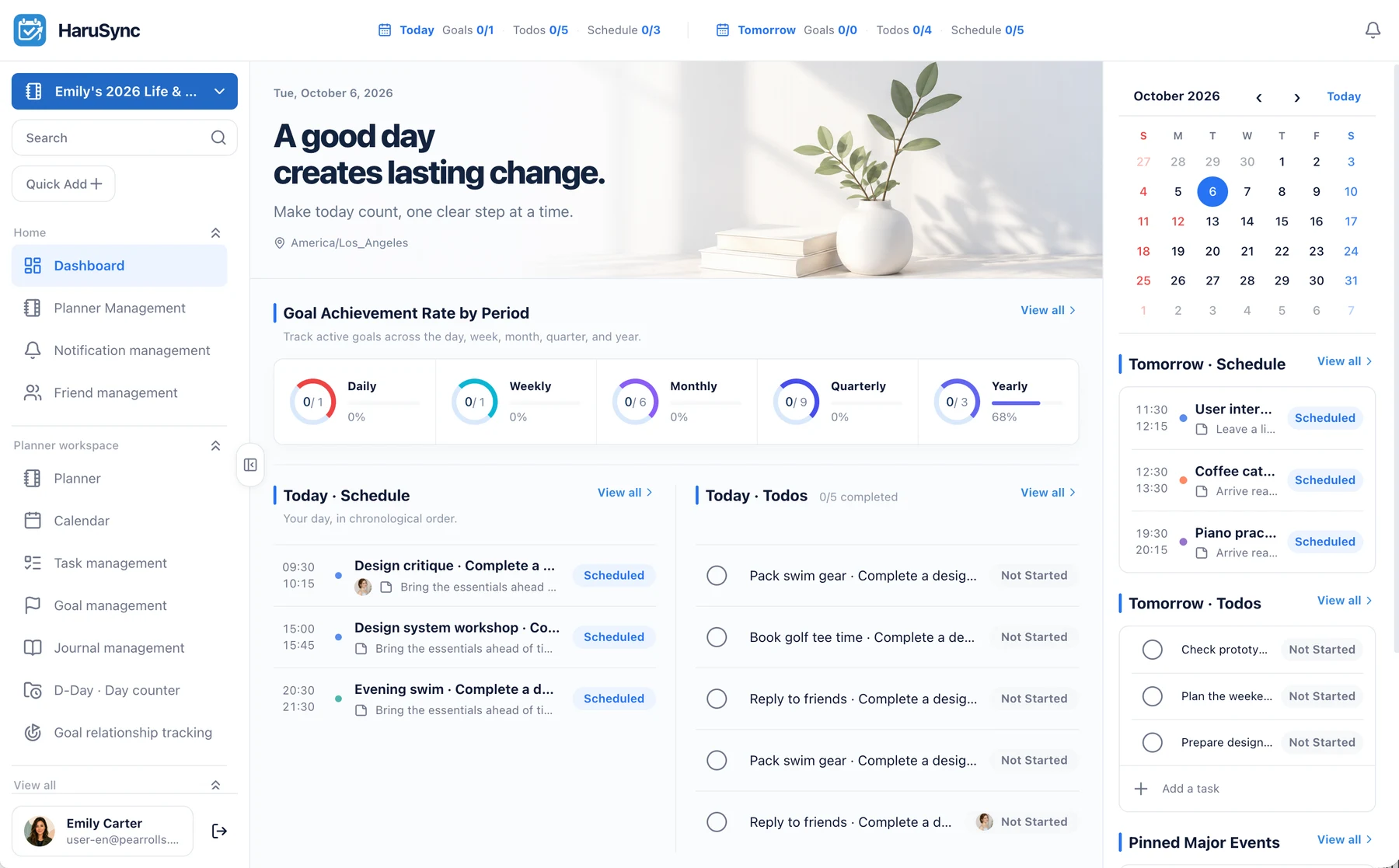
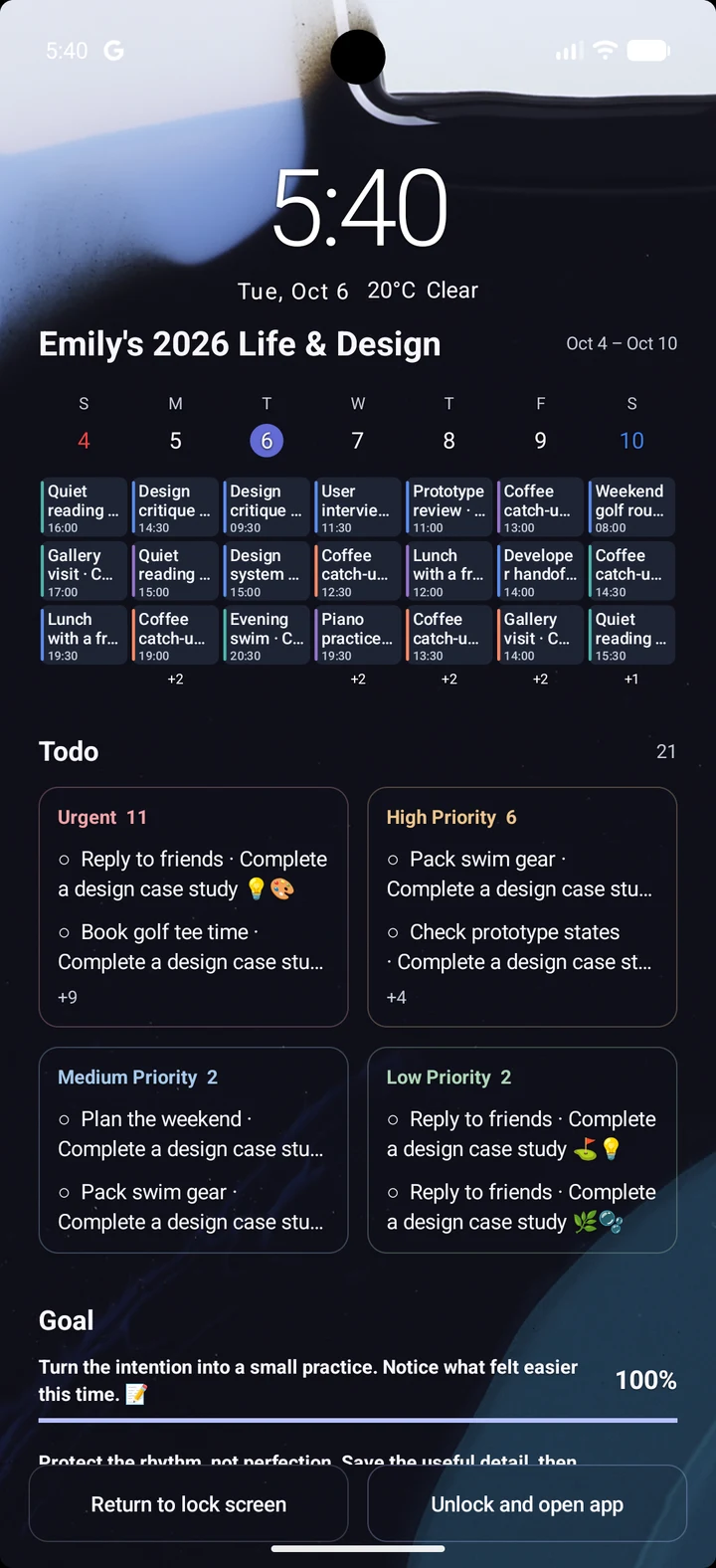
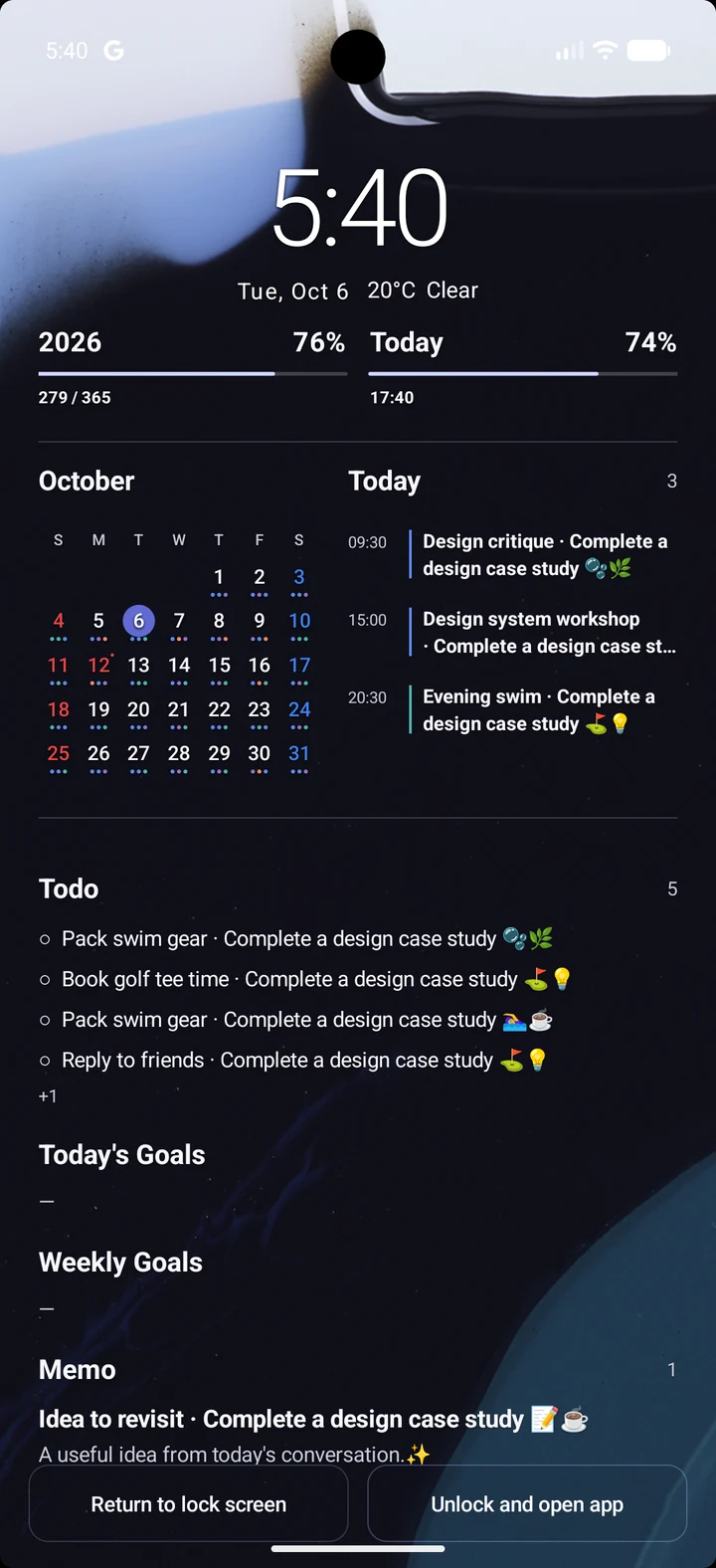
On the web, large-screen routes like Today, Planner, Calendar, Todo, Goal, Journal, and Report stay easy to scan.

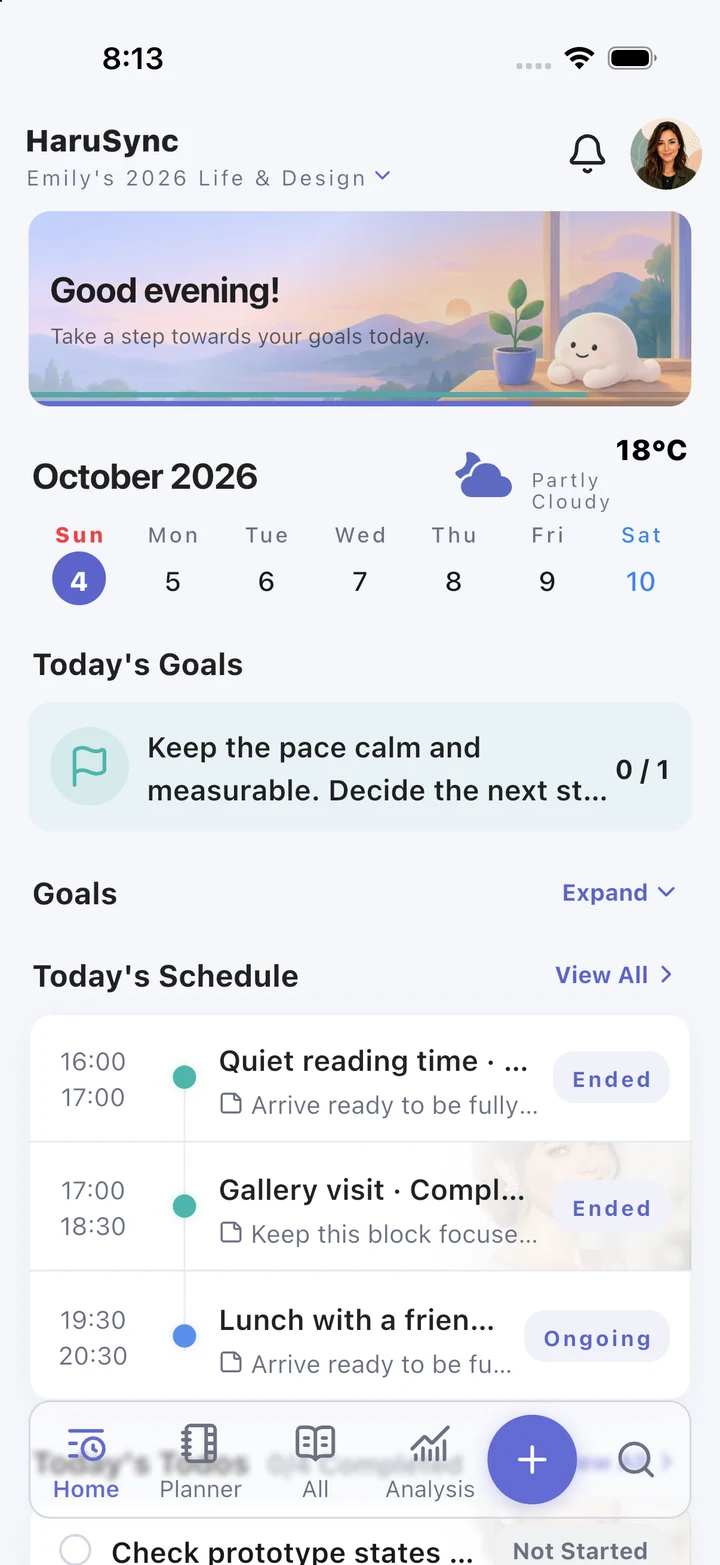
On mobile and tablet, quick add, the integrated planner, and settings stay lighter and faster to reach.

Shared invites, notification inboxes, and calendar connection state continue in the same HaruSync account flow.

Web · Mobile · Tablet
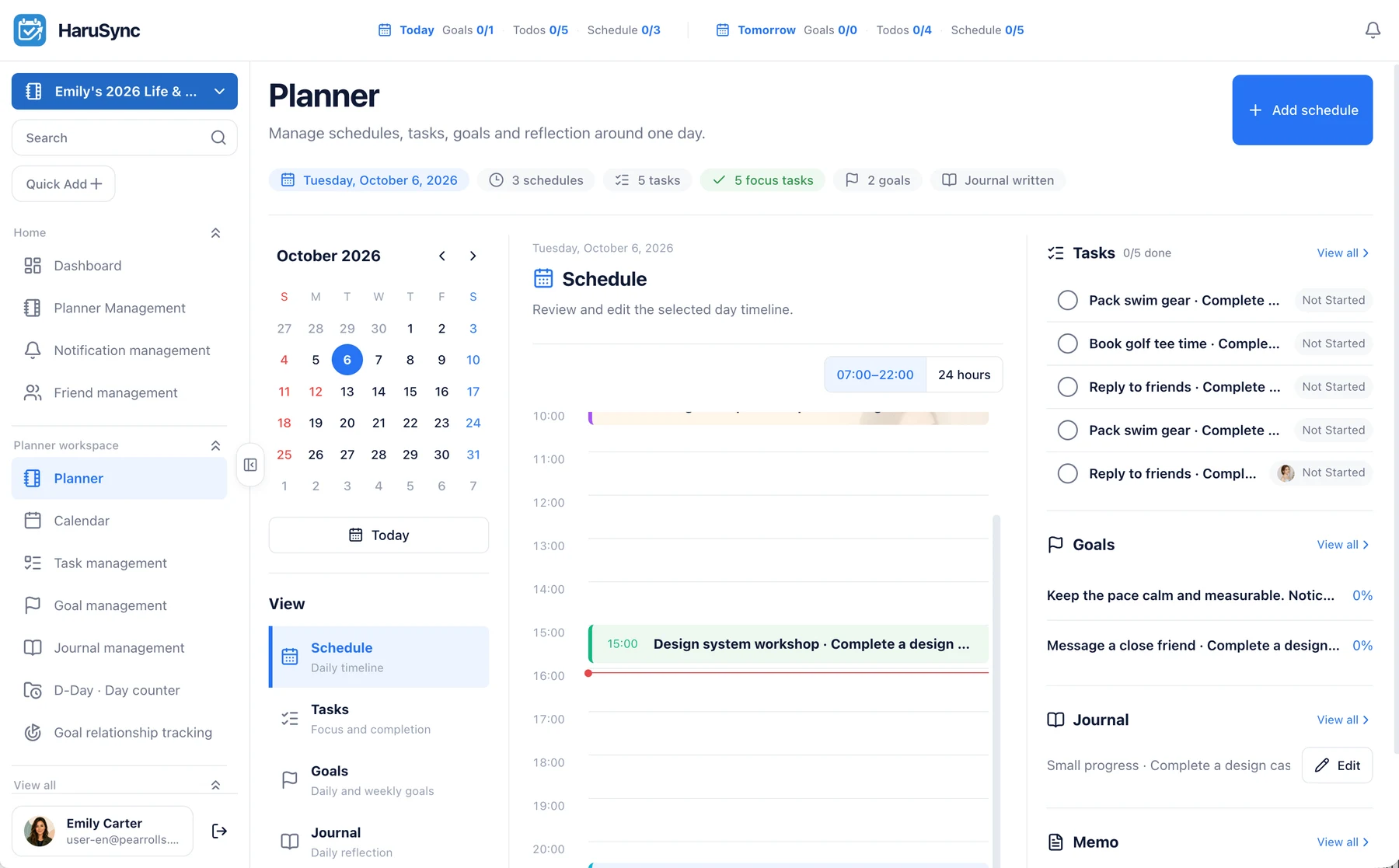
HaruSync web workspace showing a sidebar and desktop todo management table
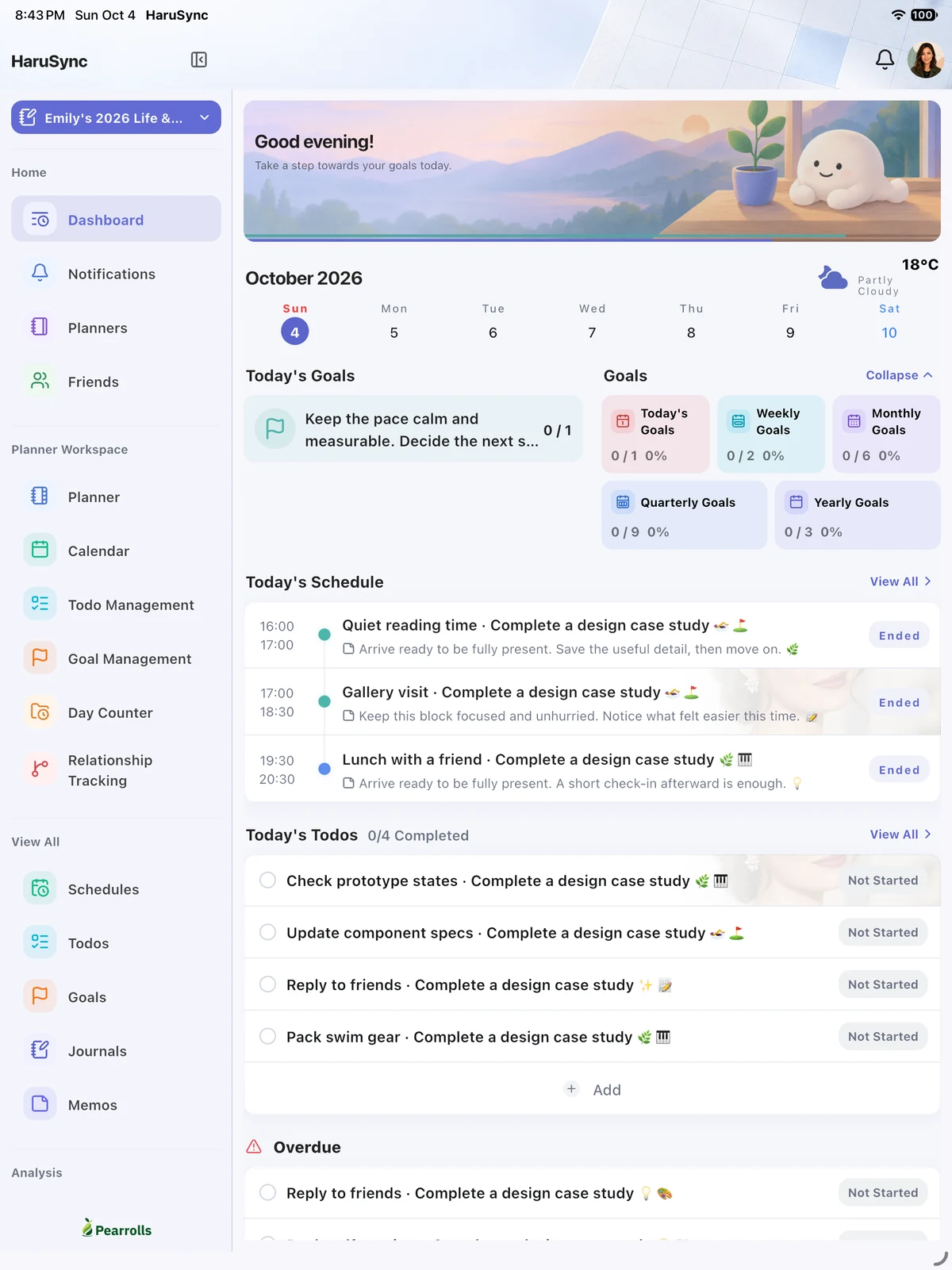
HaruSync dashboard screen with goals, weather, schedules, and task briefings
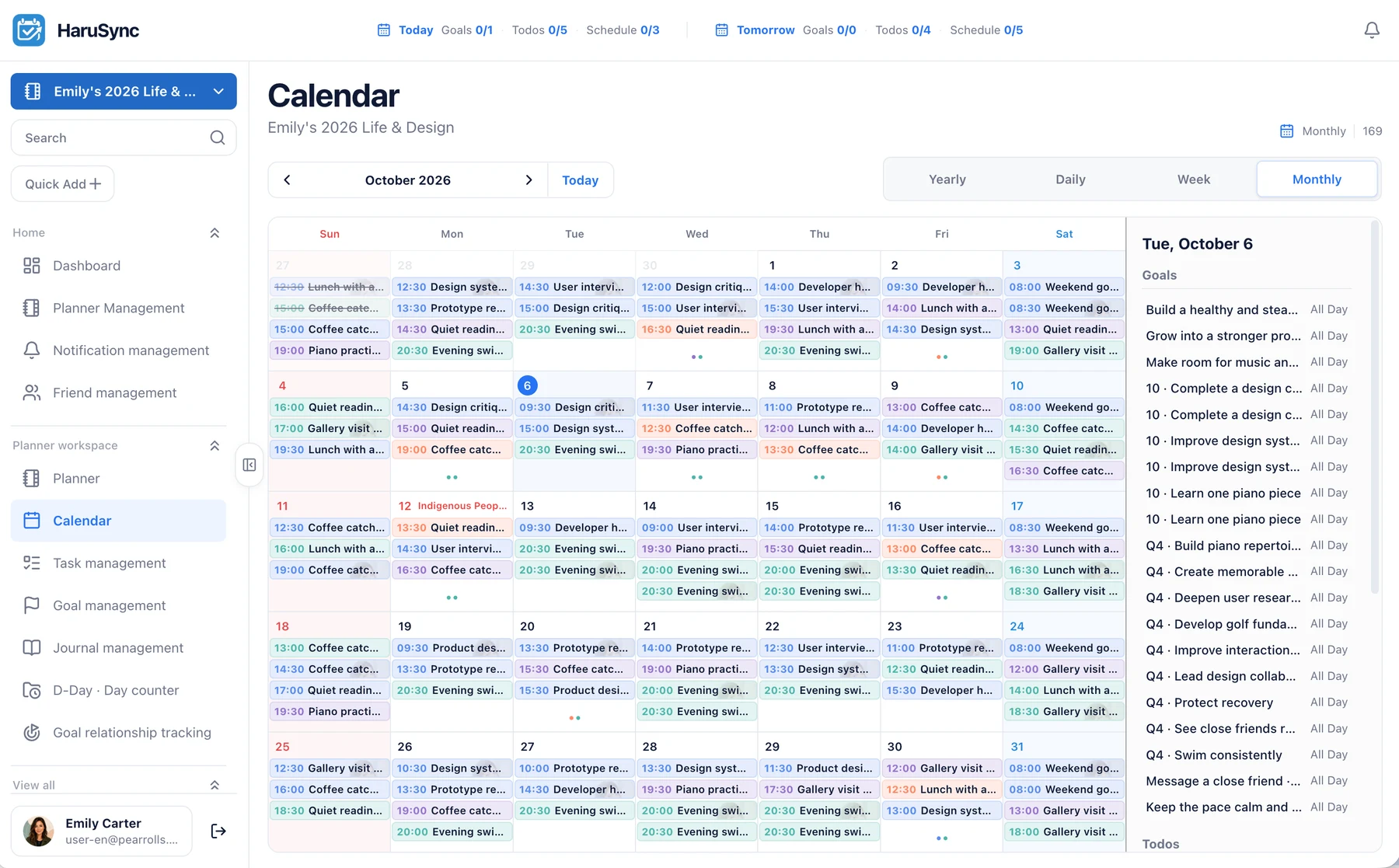
HaruSync tablet screen showing a side rail and monthly planner calendar together
Capabilities

HaruSync is not just a feature list,it is the working surface of the planner.

Each capability is framed around the real planning flow: setting goals, aligning schedules, managing tasks, recording the day, and reviewing what comes next.

HaruSync goals screen with yearly, quarterly, monthly, weekly, and daily goal cards

01

Goal boards and progress tracking

Manage daily, weekly, monthly, quarterly, and yearly goals with visible progress, status, and period-based structure.

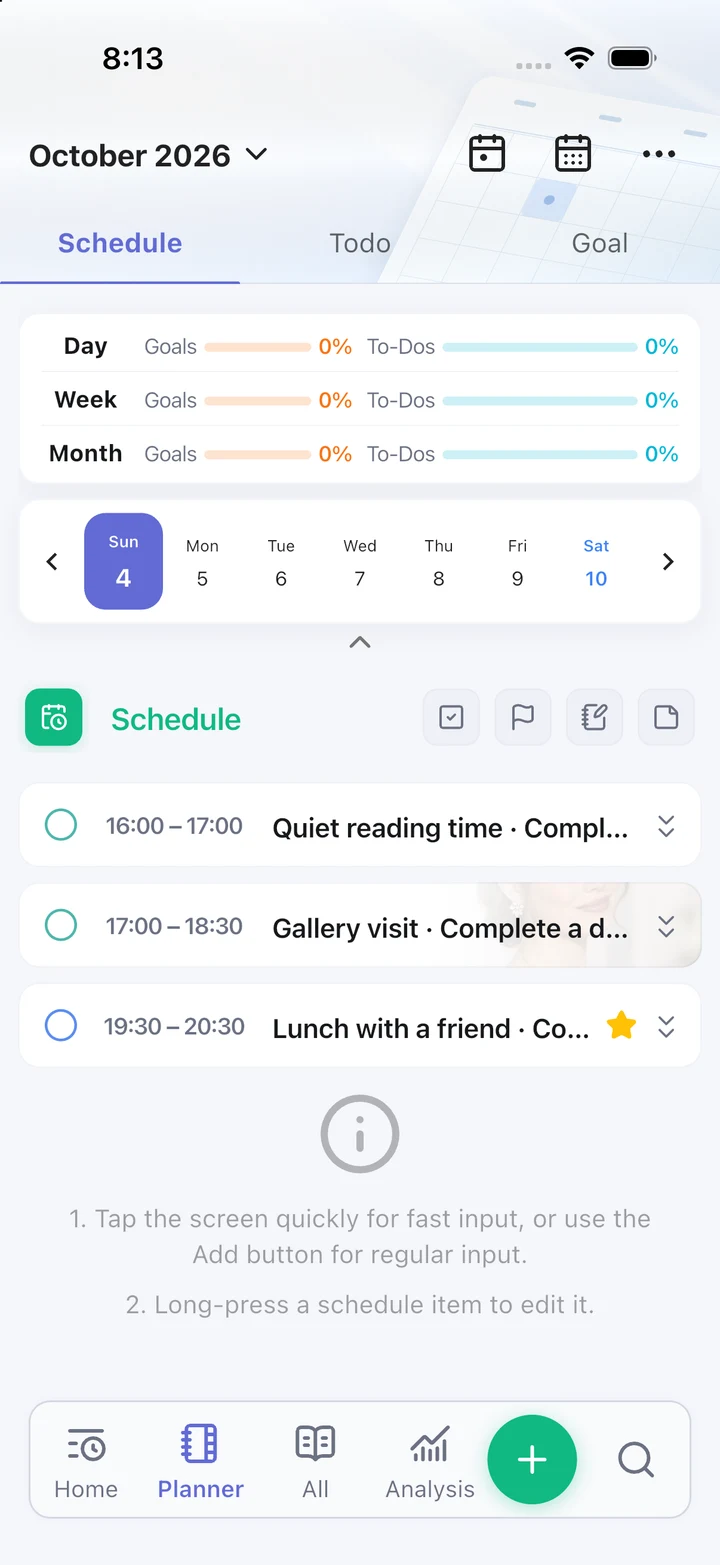
HaruSync planner screen with schedule timeline and period progress

02

Schedule briefings and recurring events

Keep today and tomorrow briefings, start and end times, recurrence rules, and recurrence exceptions inside one planning flow.

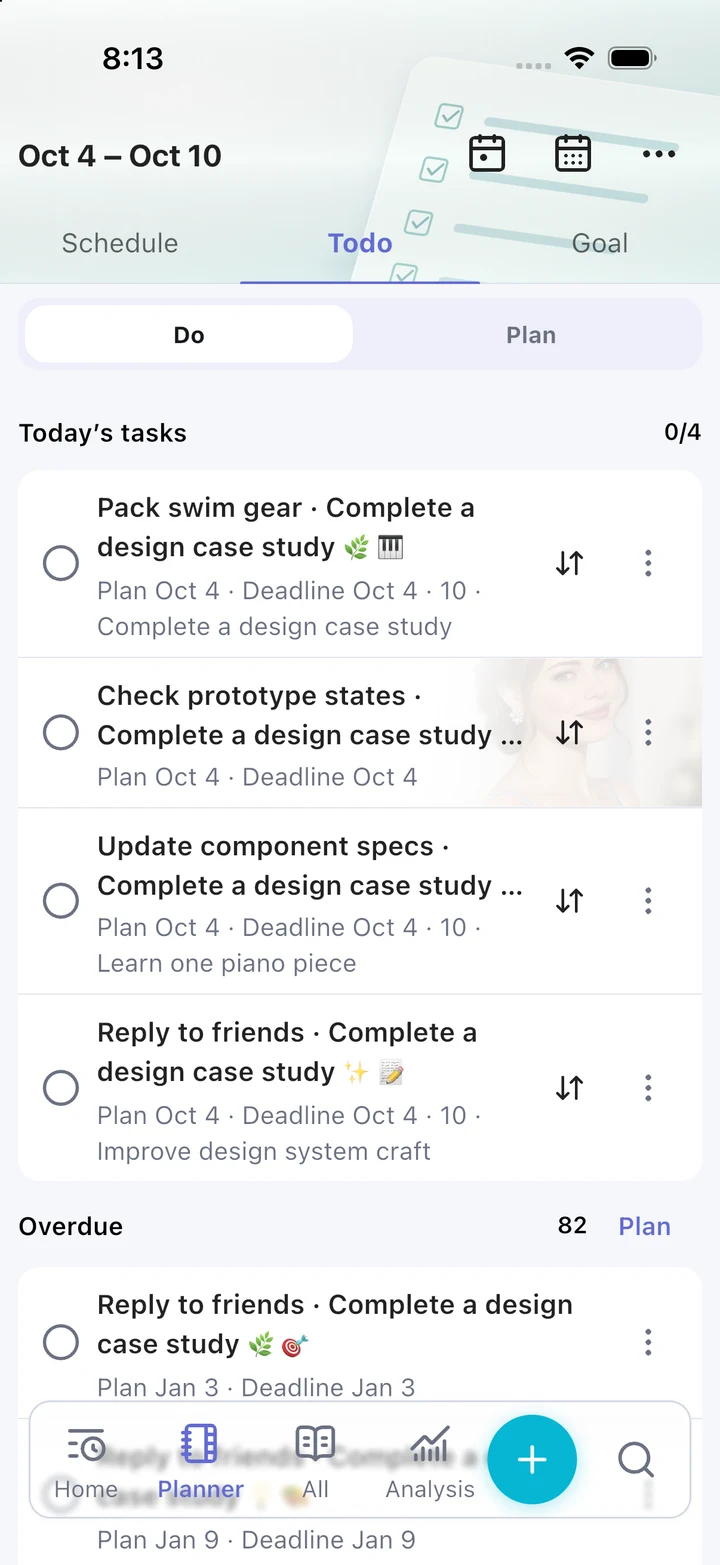
HaruSync todo screen with task status and priority labels

03

Task management centered on priority

Track status, due dates, priorities, and linked goals together, then add new work quickly with route-aware quick add flows.

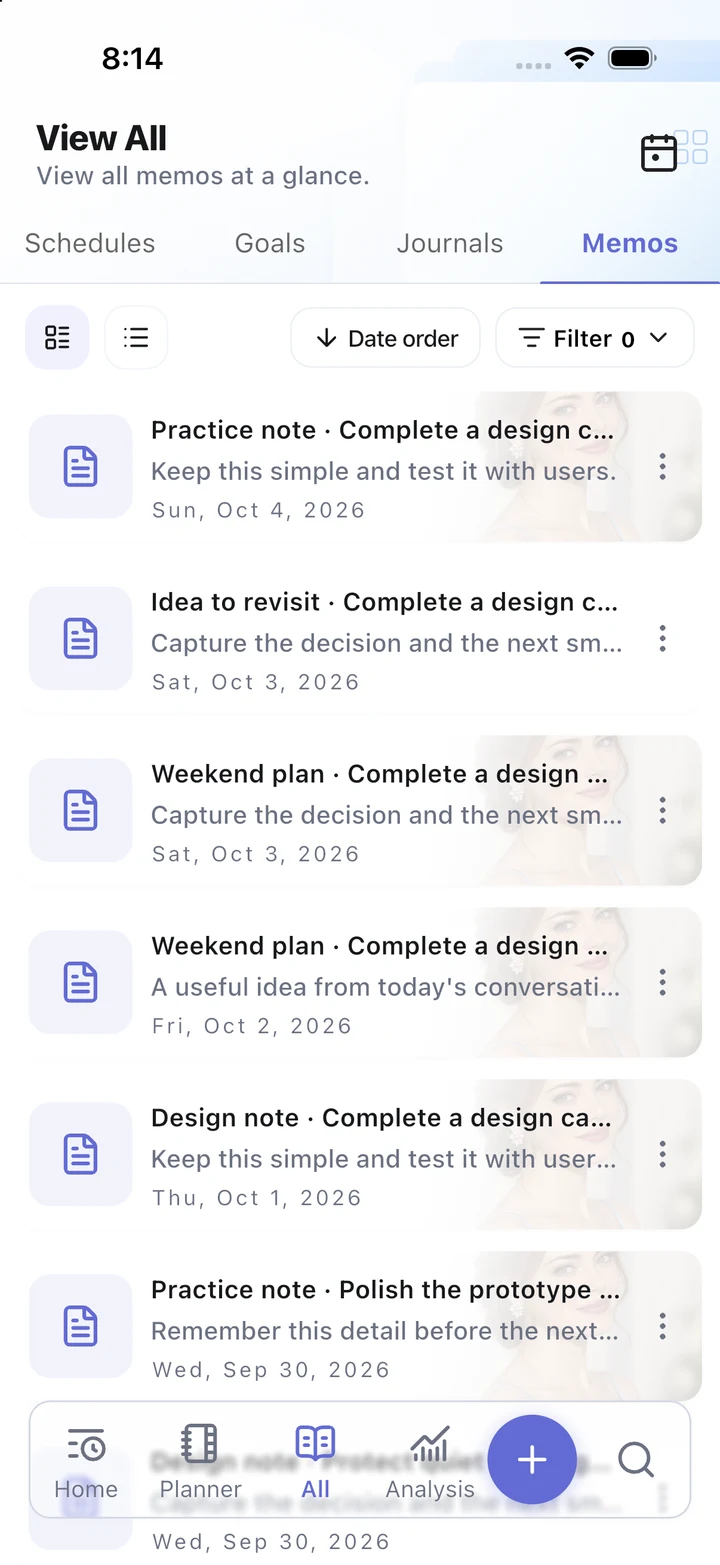
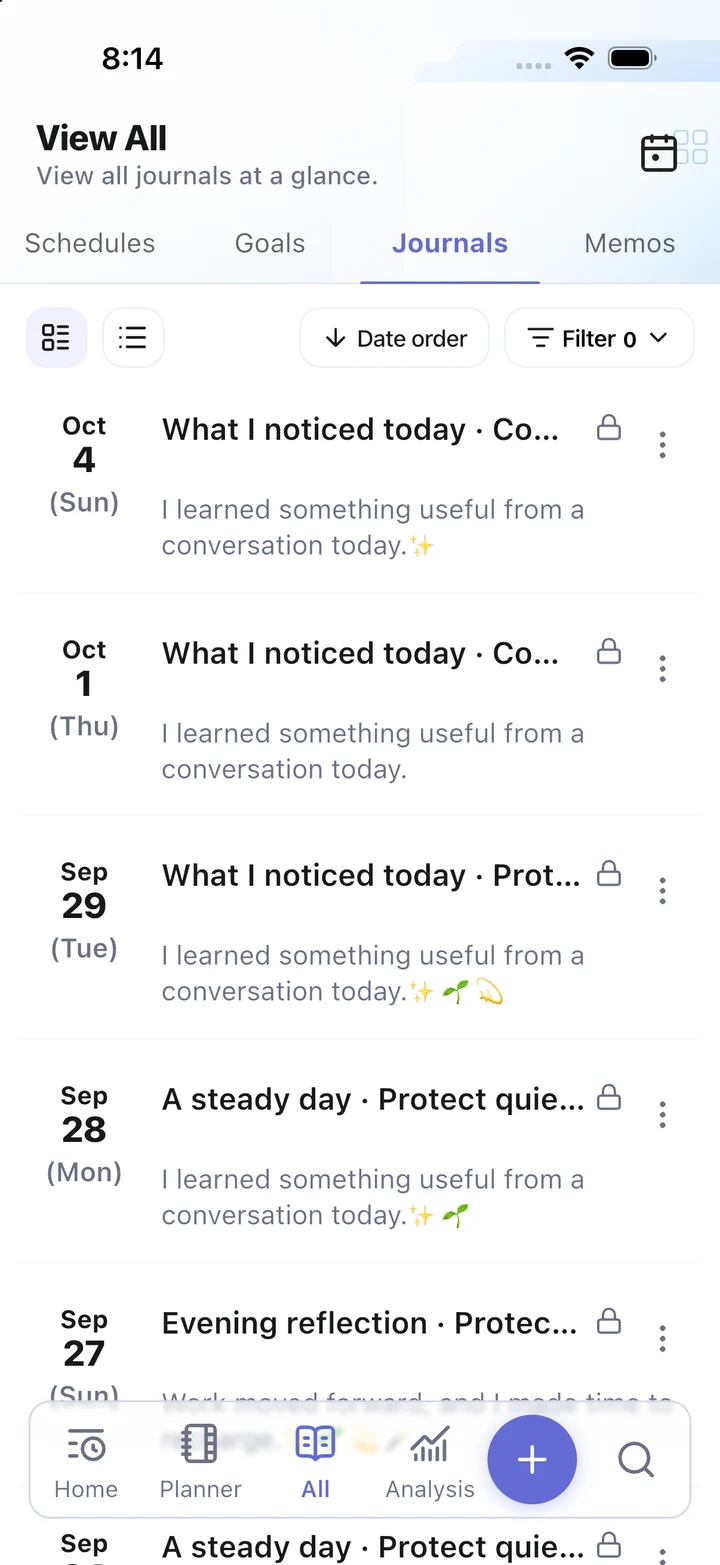
HaruSync view all screen with combined schedules and tasks

04

Journals and records that stay connected

Journal detail views, integrated planner screens, and view-all browsing keep records connected to the next plan instead of hiding them away.

HaruSync shared planner screen for reviewing plans by date

05

Shared planners and friend management

Invite people into a planner, accept or revisit planner invites, and coordinate member access with shared schedules and tasks.

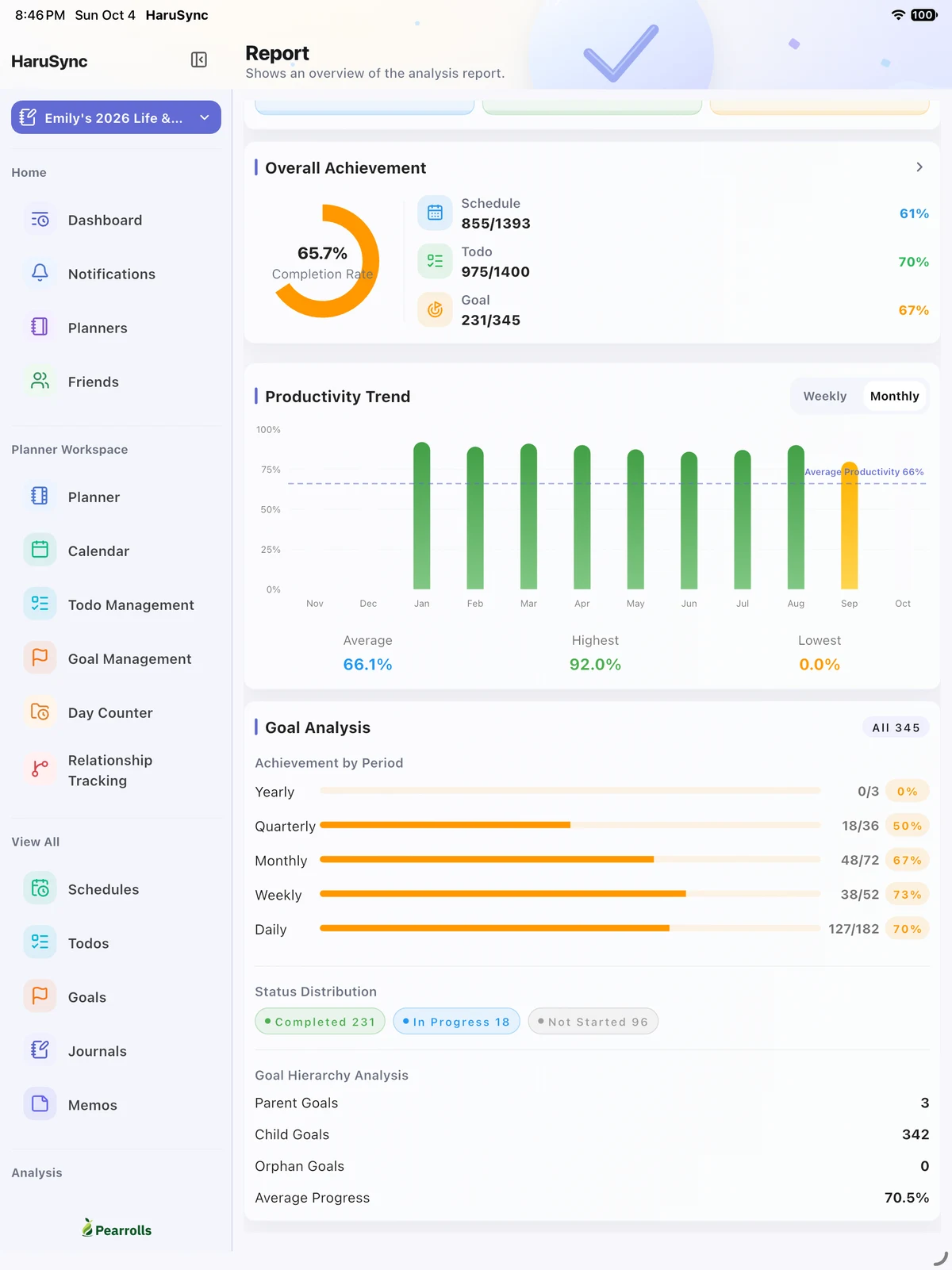
HaruSync report screen with completion metrics and activity charts

06

Reports, alerts, and calendar connections

Review activity summaries and trend reports, manage reminder state, and connect Google Calendar or Apple Calendar where that workflow is supported.

Journeys

Show who HaruSync is for right away,with clear starting paths for each user type.

Personal planning, professional work, student routines, and shared collaboration all begin differently, so each path makes the product feel immediately relevant without breaking the overall story.

Journeys

Personal planning, professional work, student routines, and shared collaboration all begin differently, so each path makes the product feel immediately relevant without breaking the overall story.

HaruSync goals screen with yearly, quarterly, monthly, weekly, and daily goal cards
HaruSync todo screen with task status and priority labels

Personal planning

A personal flow for setting the day’s baseline

Start with goals, daily briefings, tasks, and journals in one place, then use evening records to prepare what comes next.

Review today and tomorrow togetherUse journals and notes for end-of-day reflection

Professional workflow

A work flow for projects, meetings, and deadlines

Add commitments quickly, connect them to schedules or goals, and review reports and alerts to understand what needs attention next.

Create schedules and tasks with quick addCheck reports and alerts for progress

Student flow

A study flow for classes, assignments, and notes

Track class schedules, assignment deadlines, repeating prep work, and learning notes from the same planner workflow.

Manage assignments and exam dates togetherAccumulate study notes through journals and records

Shared collaboration

A shared planner flow for teams, family, or friends

Join through planner invites, coordinate shared schedules and tasks, and understand the access scope available to each member.

Invite and join through planner linksCoordinate shared schedules and shared tasks
Platforms

Start in the browser today,then continue on published app routes.

HaruSync is designed for web, mobile, and tablet experiences.

HaruSync web workspace showing a sidebar and desktop todo management table

Web access

Web workspace

Open the authenticated web app directly and continue through large-screen planner routes like Planner, Calendar, Todo, Goal, Journal, and Report.

Information architecture grouped around Home, Workspace, View All, and Reports

Wide layouts can use tables and preview panels for browsing

HaruSync tablet screen showing a side rail and monthly planner calendar together

Mobile and tablet

Mobile and tablet access

Mobile and tablet layouts support integrated planning, quick add, and settings flows.

Mobile focuses on dashboard, planner, view-all, and analysis tabs

Tablet combines side rails with safe redirects from unsupported web-only detail routes

Download on the App StoreGet it on Google Play
Support

Explain security and operational trustwith the same clarity as the app itself.

Organize account access, data protection, and server environment into one trust structure.

OAuth / Auth01

OAuth account access and secure authentication handling

OAuth sign-in and account-linking flows are built on verified authentication steps, with session handling and protected routes designed to prevent unauthorized entry.

Encryption / Backup02

Encrypted data storage and resilient backups

Personal information and user-created planner content are protected with encryption at rest, and backup systems are structured to preserve recoverability when incidents occur.

Cloud / Server03

Secure server operations on a cloud platform

The production environment runs on trusted cloud infrastructure, with separated deployment boundaries and controlled network surfaces to support both stability and security.